Draw Schedules
FinTech SaaS · nCino
FinTech SaaS · nCino
Draw Schedules
Bringing construction loan draw schedule management inside nCino, eliminating reliance on external software and enabling accurate price optimization for relationship managers.
Impact
Launched
Feature shipped and adopted across nCino's financial institution customer base
A/B Tested
Two competing interaction patterns tested with real users before committing to a direction
Unified
Closed a key gap in nCino's all-in-one positioning by eliminating external software dependency
Role
Lead Designer
Team
Designer, PMs, Engineers
Company
nCino
Type
Feature Design
Business Context
nCino's core value proposition is consolidating lending operations into a single platform. But for construction-to-permanent loans, relationship managers were forced out of nCino to handle draw schedules in external software, a gap that undermined the "all-in-one" pitch and introduced reconciliation risk.
This wasn't a nice-to-have. For banks with significant construction loan portfolios, it was a blocker.
The Problem
When a relationship manager calculated loan price or profitability in nCino, the result was a single percentage applied to the entire amortization schedule. That's not how construction loans work. Funds are disbursed in draws over time, making that calculation inaccurate for a core loan type.
The design challenge: integrate draw schedule editing into an already complex pricing workflow without adding cognitive load or disrupting existing patterns.
Research
I conducted four 30-minute remote interviews with relationship managers, observing how they currently managed draw schedules outside of nCino. Sessions revealed the frequency of use, the complexity of typical draw structures, and the friction of context-switching between tools mid-workflow.
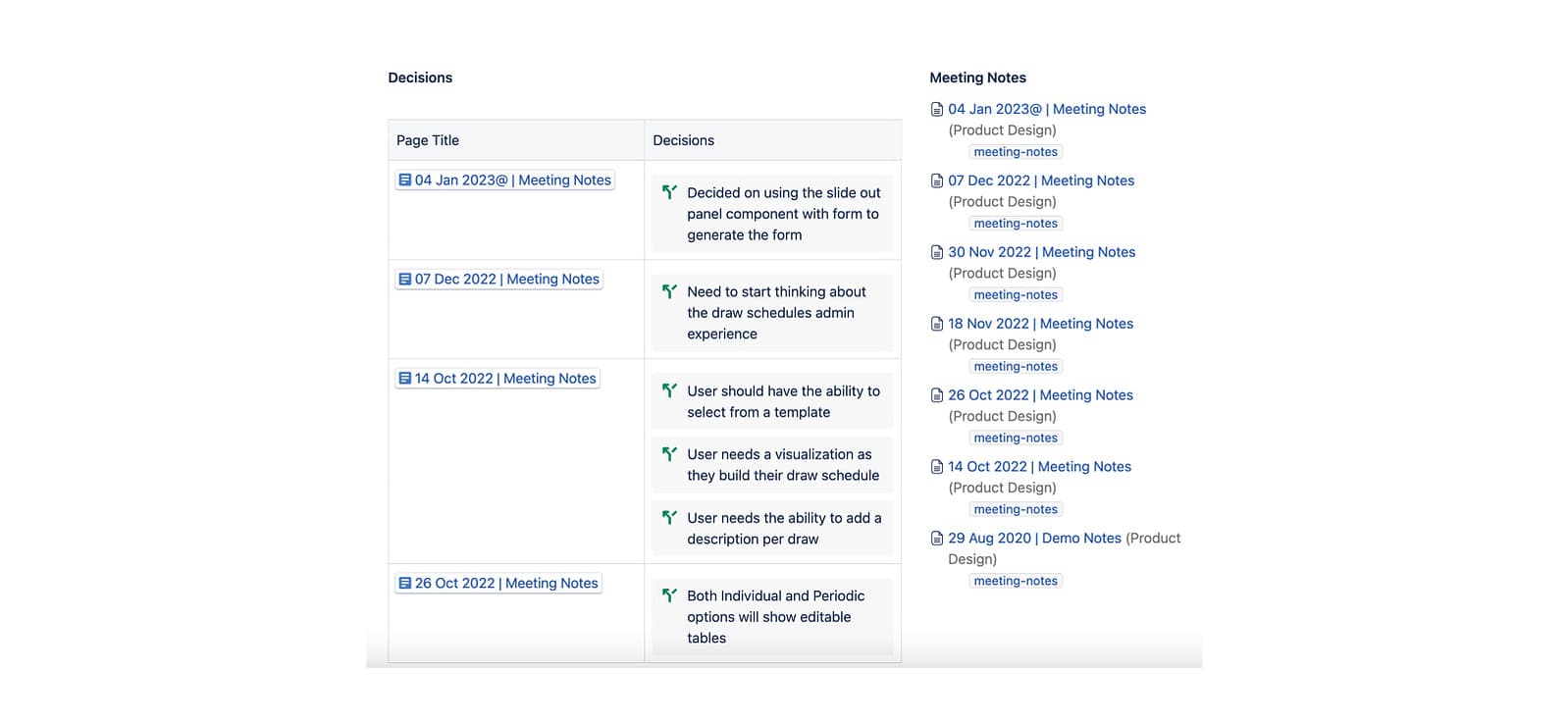
Research synthesis from relationship manager interviews
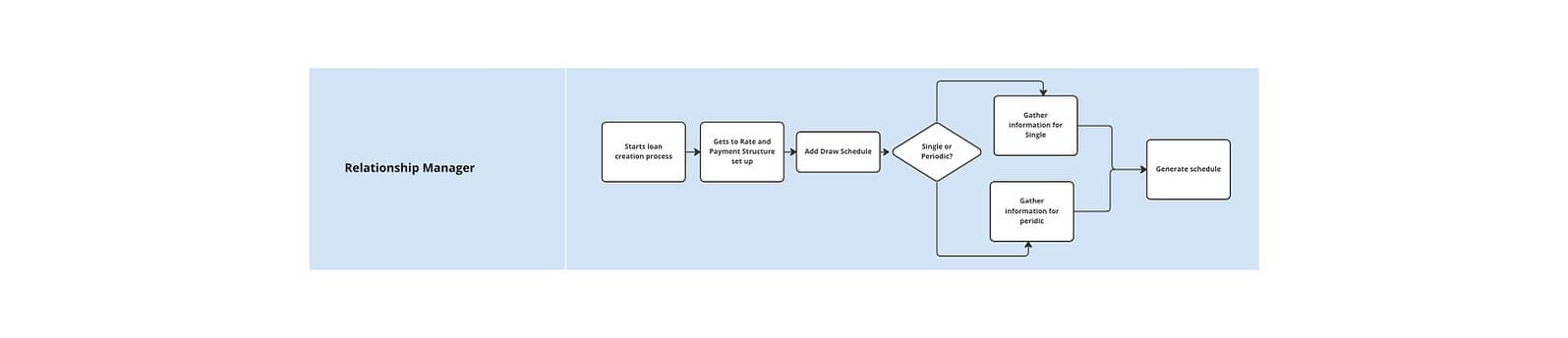
User journey mapping for the draw schedule workflow
Screen Map
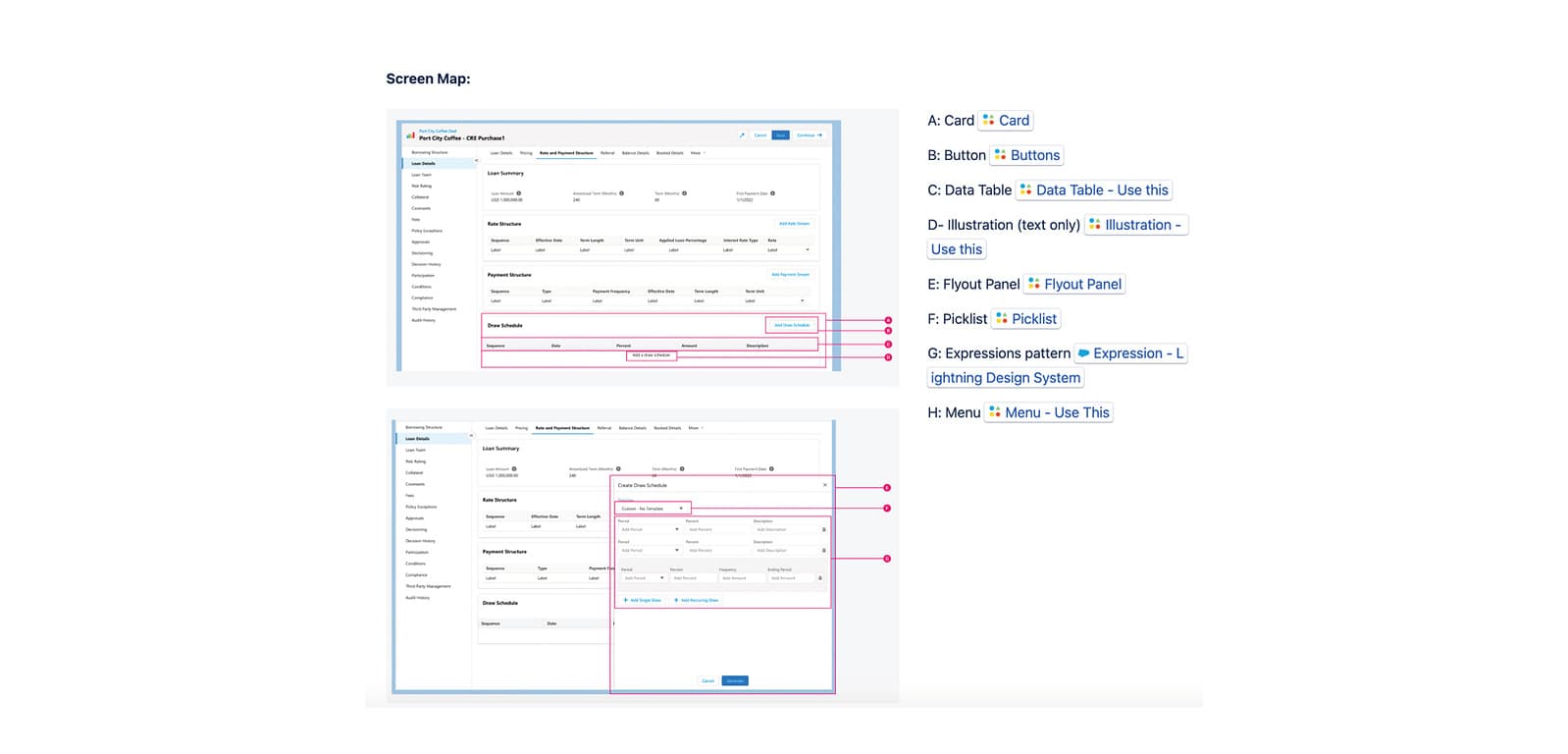
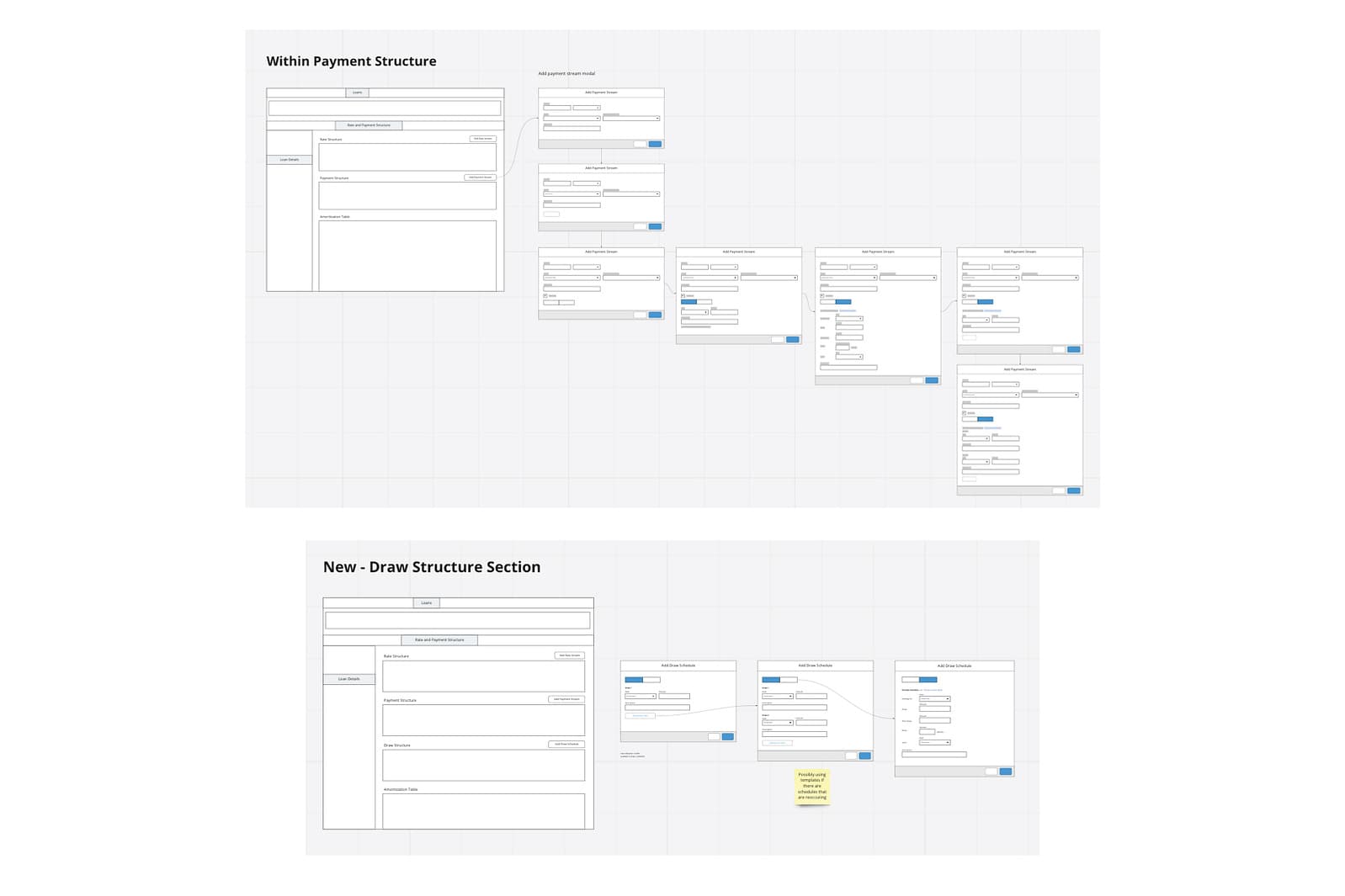
A comprehensive screen map documenting the full draw schedule experience, from entry points through editing flows.
Design Decision: Modal vs. Slide-out
I explored two competing interaction patterns and ran A/B testing with users before committing to a direction:
Option A: Modal
Consistent with existing Rate and Payment patterns. Familiar, but blocked the loan view during editing, creating friction for users who needed to reference other loan data mid-task.
Option B: Slide-out Panel (Selected)
Kept the loan view visible while editing the draw schedule. Users strongly preferred this. They needed to make quick back-and-forth adjustments while referencing other loan data. The right answer required departing from an existing pattern.
This was a deliberate choice to break consistency in favor of task fit, a trade-off I documented explicitly for the engineering team.
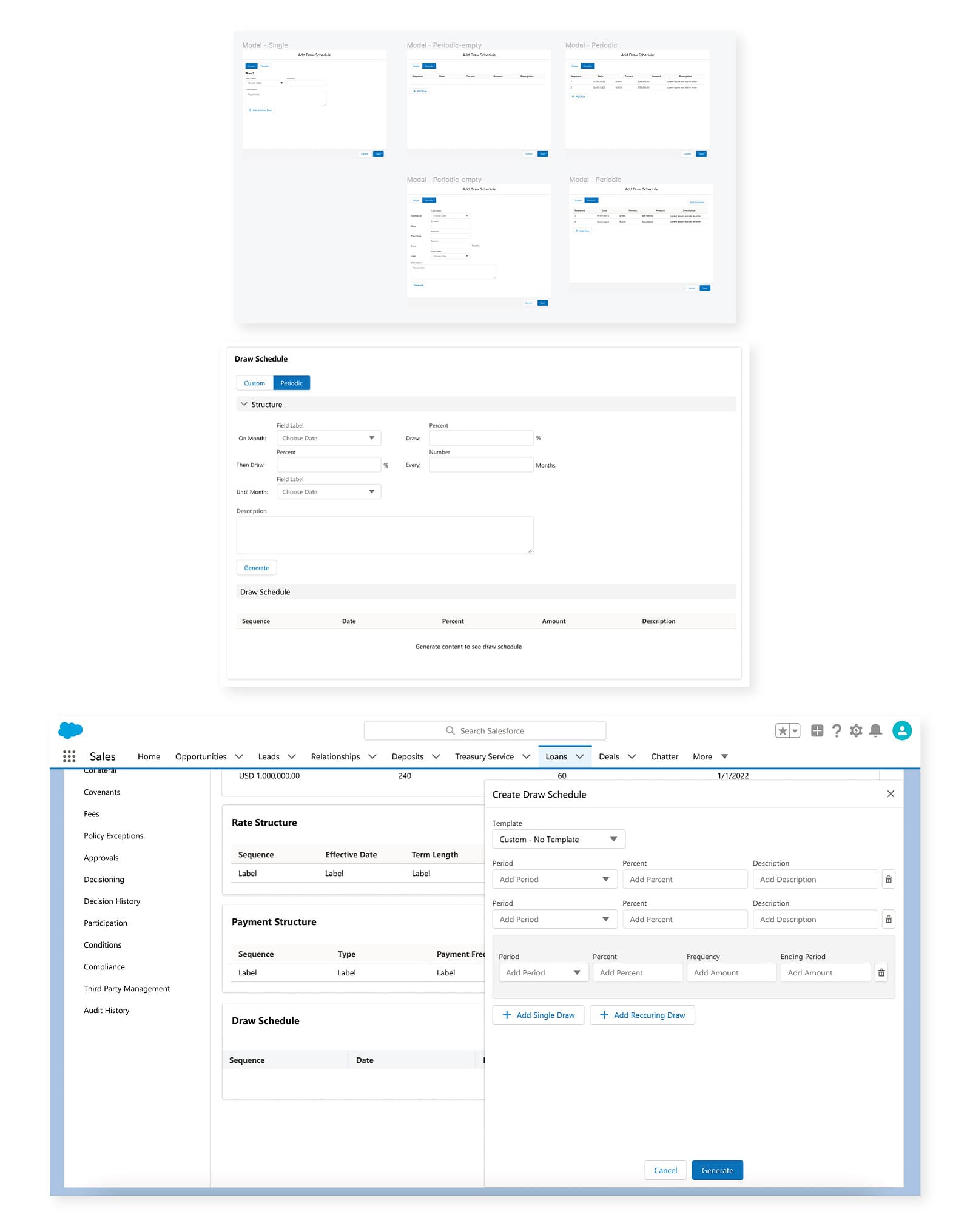
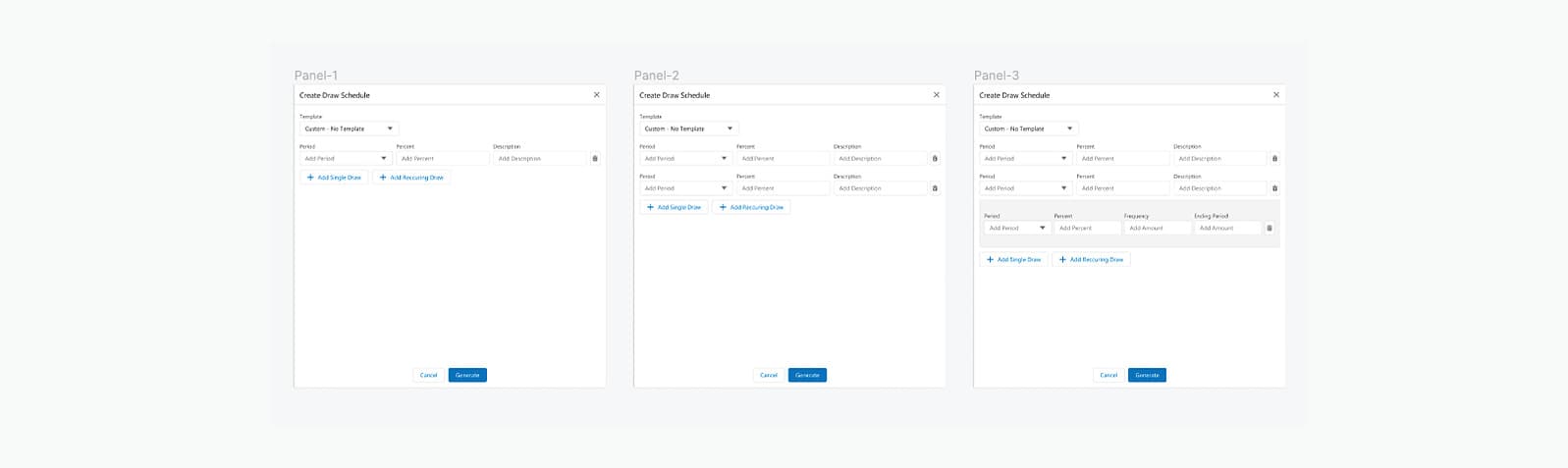
Exploring three interaction styles for editing draw schedules
Wireframes
Wireframe explorations for the slide-out panel, iterating on layout, data hierarchy, and editing controls.
Outcomes & Impact
The Draw Schedule feature shipped successfully, giving relationship managers the ability to add single and recurring draws, edit schedule tables, and remove schedules entirely without leaving nCino.
Next phase: Draw Templates for frequently-used schedule structures, reducing setup time for common loan types.